Savicor FinanceBeta
Invoices that match your CRM, and cash you can see.
Quotes, invoices, expenses, budgets and bank import, on the same companies and deals as your CRM. In beta, part of the Business plan.
In Business and Enterprise, which open once billing is connected.
- Turn an accepted quote into an invoice and email it as a PDF.
- Import your bank statement and see which invoices are paid.
- Get your VAT return per quarter or month from your own numbers.
- Keep expenses with their receipts and supplier.
- Set a budget per year and see spend against it, month by month.
The screens
How the parts fit together.
Real screens from a demo organisation with example data.
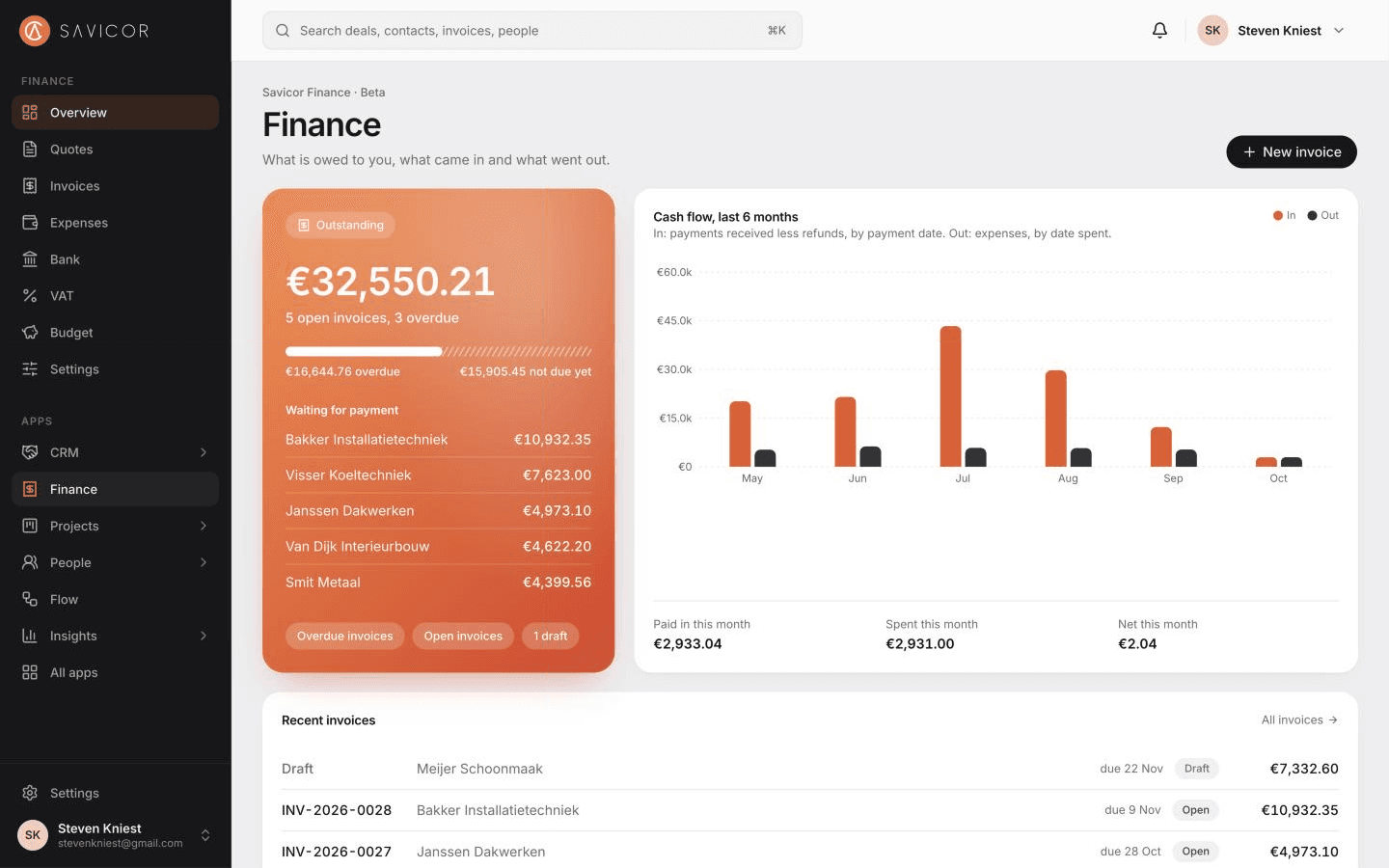
Overview
What is owed to you, what came in and what went out, from the same customers as the CRM.
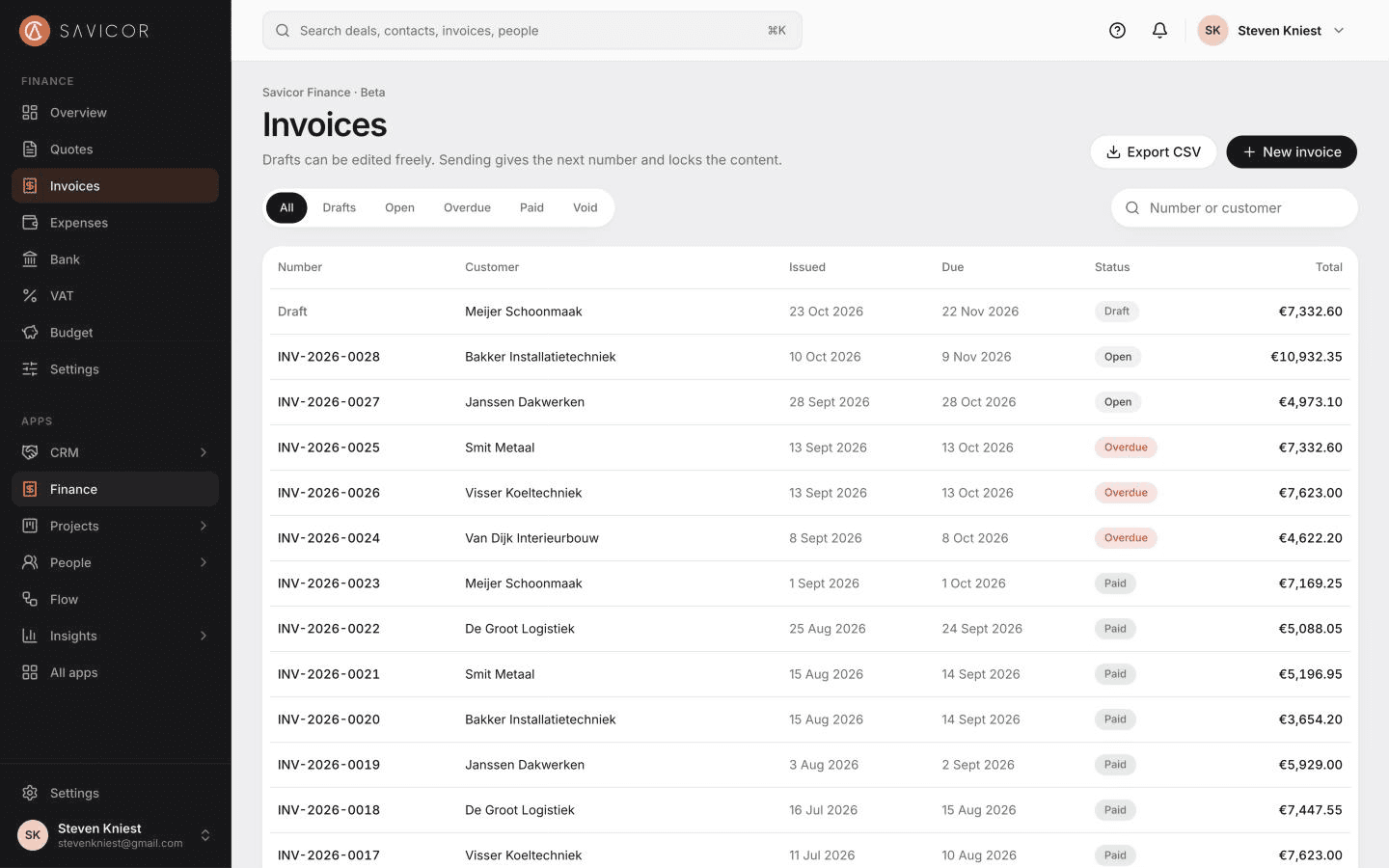
Invoices
Drafts stay editable; sending gives the next number and locks the content.
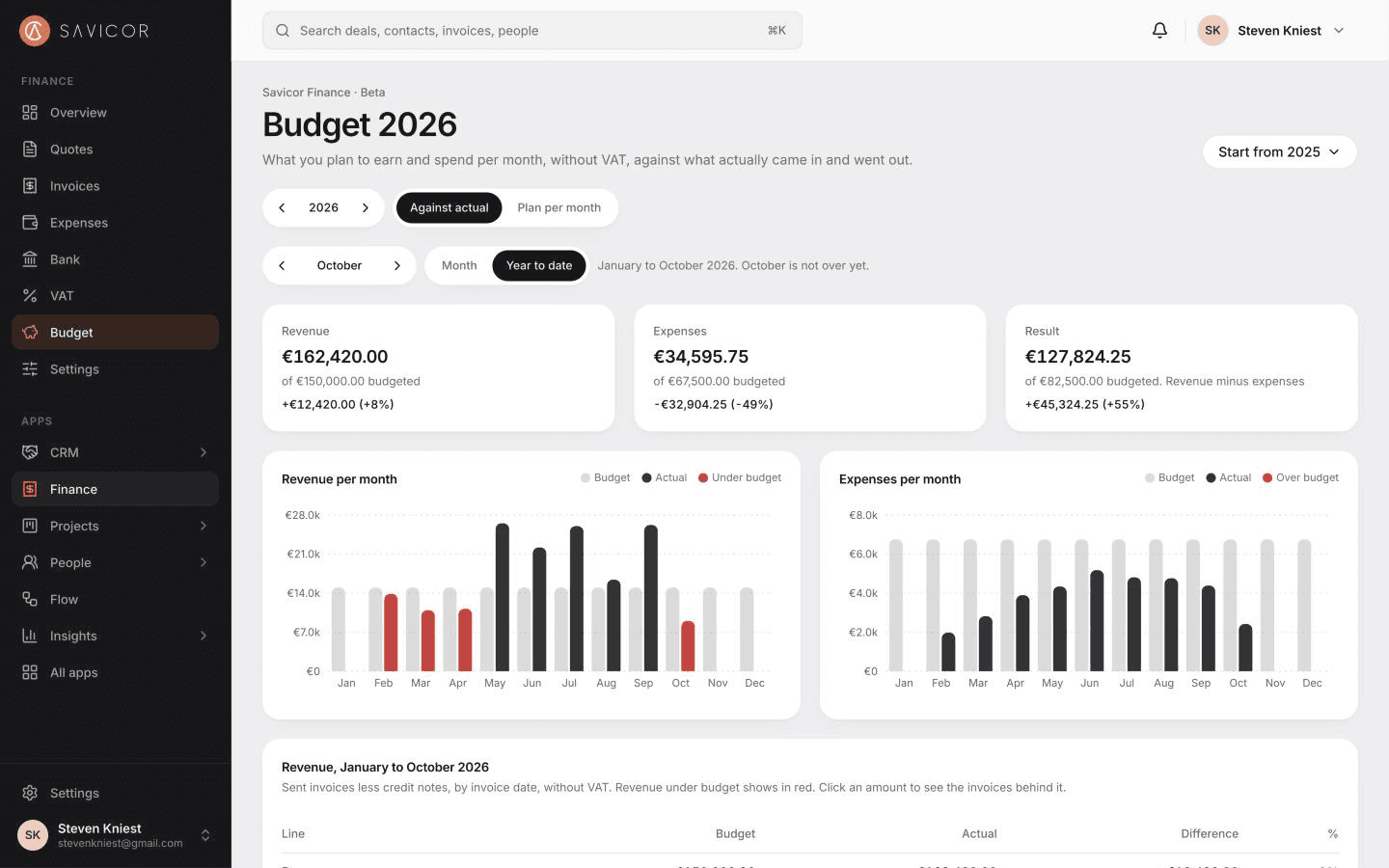
Budget
Set a budget per category for the year and see spend against it, month by month.
Invoices
Invoices that keep to the rules.
Add lines with a VAT rate each and see the totals as you type. An invoice gets its number when you send it and cannot change after that. Download it as a PDF or email it with the PDF attached.
- Part payments, and credit notes in the same number series
- Repeating invoices make drafts; nothing is sent on its own
- Payment reminders for overdue invoices
Quotes
Quotes that turn into invoices.
Quotes have their own number series and are locked when you send them. Mark one accepted or declined, and turn an accepted quote into a draft invoice in one step.
- PDF and email, like invoices
- Start a quote from the deal
Expenses and budgets
Know what went out, and against which budget.
Record expenses with a category, a supplier or a project, and the VAT included. Set a yearly budget per category and see what is spent against it.
- Filter by month and category
- Export expenses as CSV
Bank import
Match a bank statement in minutes.
Import a CSV statement from your bank. Money in is matched to open invoices by number or by a unique amount; money out can become an expense with a suggested category. Nothing is recorded until you confirm.
- Works with CSV exports from ING, Rabobank, ABN AMRO and most banks
- Importing the same statement again skips what is recorded
Part of the platform
One record, one login, one set of permissions.
Savicor Finance works on the same customers, team and roles as the other apps, so nothing is copied between them.
- One loginSign in once with two-factor authentication and move between apps.
- One recordA customer exists once, with what every app knows about it.
- One set of permissionsRoles are set once and apply in every app, down to the records each person sees.
With the other apps
- Savicor CRMAvailableInvoices and quotes belong to CRM companies and deals.
- Savicor ProjectsBetaLogged time becomes a draft invoice; invoiced time is locked.
- Savicor FlowBetaAutomations run when an invoice is paid or becomes overdue.
- Savicor InsightsBetaInvoiced, received, outstanding and days to get paid.
Who it is for
Made for small and mid-sized teams.
Teams that invoice their own work
Quote, invoice and follow up from the same customer record.
Owners who want the overview
Outstanding, overdue and spent against budget on one page.
Businesses with an accountant
Clean invoices and expenses to hand over, with CSV export.
Pricing
From €39
per user per month, excl. VAT
- Starter: not included€0 per user
- Professional: not included€19 per user
- Business: included€39 per user
- Enterprise: includedCustom
Savicor Finance is in beta. Billing is not live yet: prices are indicative until it opens. See pricing
Questions
- Is this accounting software?
- No. It covers quotes, invoices, expenses, budgets and bank matching. There is no ledger and no VAT return; your accountant keeps those.
- Does it connect to my bank?
- Not live. You import a CSV statement. CAMT.053 files and live bank feeds are not supported yet.
- Can I use Finance today?
- Finance is in beta and part of the Business plan, which opens once billing is connected. Until then you can start free with the CRM.
Start with CRM today.
Savicor Finance comes with Business and Enterprise, which open once billing is connected. Start on the free Starter plan now and switch it on when your plan includes it.